DCS Skin Viewer
See your paint
in 3D and UV at once.
A 3D and UV viewer that runs on your own PC to help with DCS World livery painting. Save a livery image in your image editor and it reloads automatically, highlighting what changed on both the 2D image and the 3D aircraft.
Download for Windowsv0.1.0 trial. For Windows 10 / 11 (64-bit). ZIP about 29 MB. No Python install needed. Requires a local DCS World install and a WebGL2 browser (latest Chrome or Edge). The app interface and the bundled guide are in Japanese.
Files in your DCS install and Saved Games are only read, never written. All traffic stays on your PC (127.0.0.1).
This is an unofficial tool. THIS MATERIAL IS NOT MADE OR SUPPORTED BY EAGLE DYNAMICS SA.
What happens when you save
Areas that also appear on a 3D surface turn pink; areas no surface uses turn orange. A save that repaints part of a DDS shows up within a second.
What it looks like
Real screens of the app showing an original demo aircraft and livery. Both the shape and the image were made for this page; no DCS data is used. The 3D view is on the left and the livery image (UV) on the right. The interface is in Japanese.
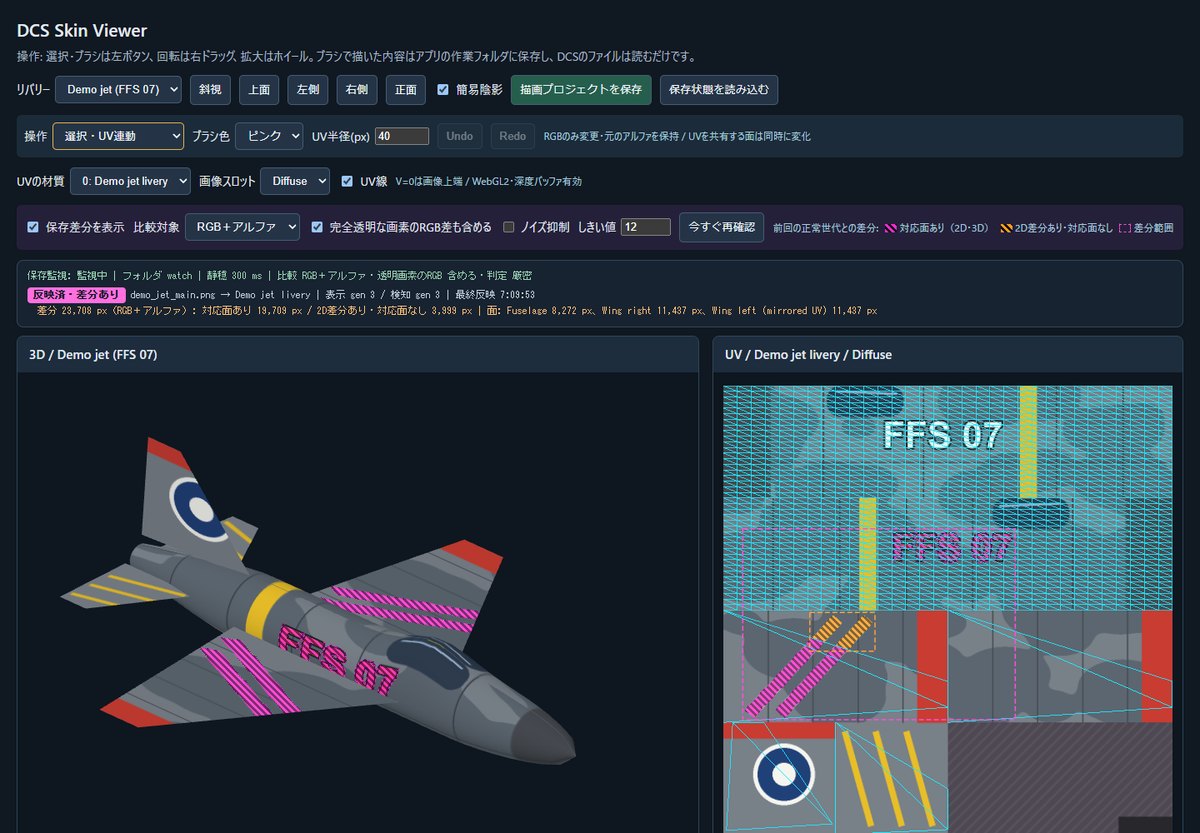
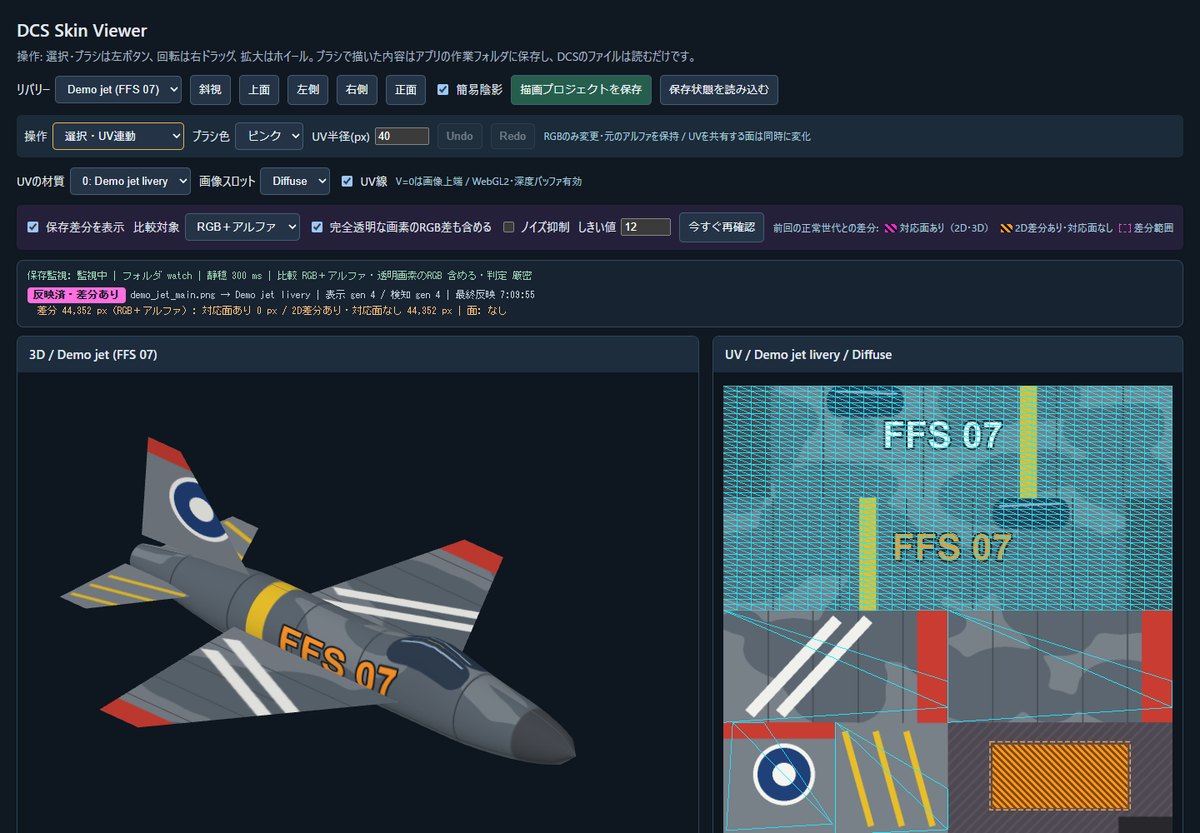
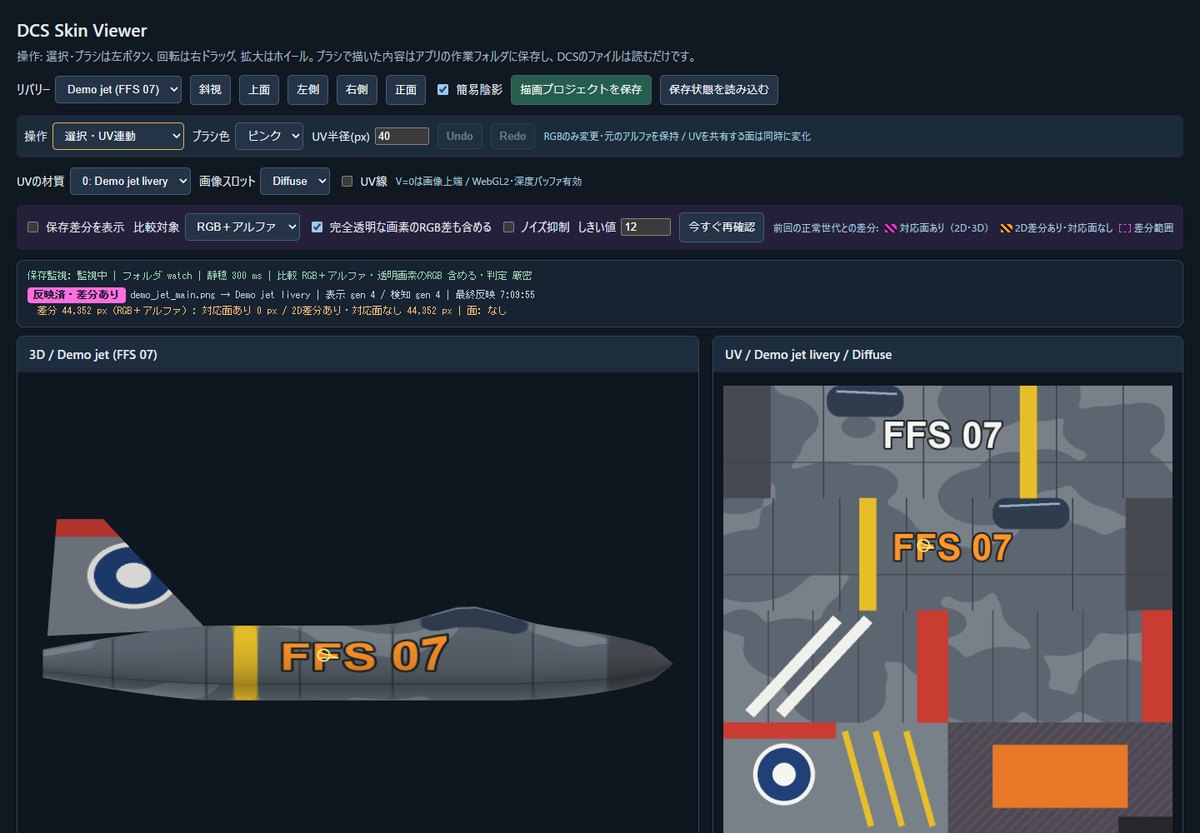
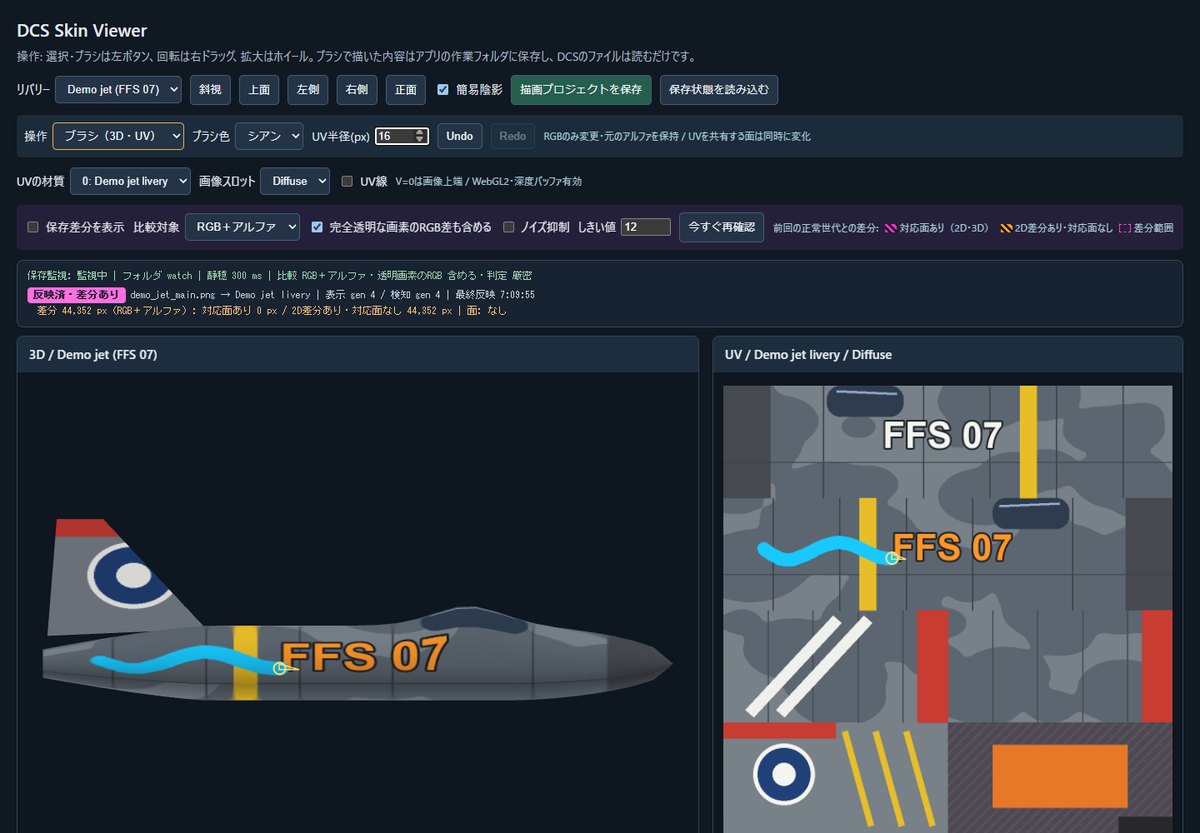
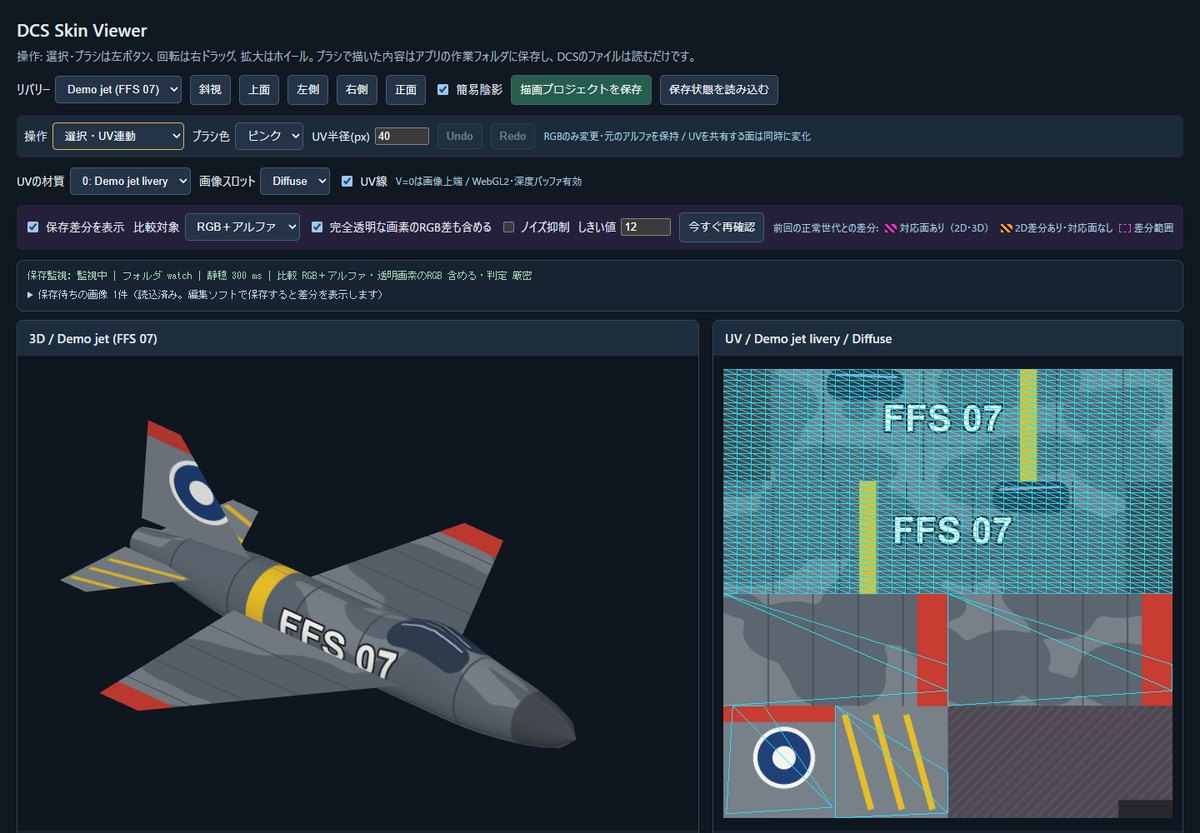
Check the paint every time you save.
Load aircraft from your DCS
Pick an aircraft and livery from 87 aircraft profiles. The installed model and images are converted read-only and shown. The first conversion takes from tens of seconds to a few minutes; after that it opens at once.
3D and UV side by side
The 3D aircraft and the livery image (UV) share one screen. Clicking the 3D model shows the matching spot on the image, and you can try a brush on the preview (your image files are not changed).
Watches saves and shows the difference
Supports DDS (BC1, BC3, BC7, uncompressed 32-bit) and PNG. Turn on noise suppression to ignore the small differences that DDS recompression causes.
How to start
- Extract the ZIP anywhere and double-click
DCSSkinViewer.cmd. A black window opens and the settings screen appears in your browser. - Your DCS install and the DCS folder in Saved Games are found automatically. If they are wrong, choose them with 「別のフォルダを選ぶ…」 (choose another folder).
- Choose the aircraft and livery, then press 「開く」 (Open). To paint your own, copy the livery folder you start from into
Saved Games\DCS\Liveries\<aircraft>first. - Overwrite a livery image in your image editor and the view updates. To quit, close the black window.
The rendering is simplified and does not match how DCS looks (no Normal, RoughMet or damage). Board numbers and moving parts may differ from DCS. The F-16C was compared with DCS's own ModelViewer2 for cell label positions, text orientation and seams. Other aircraft were checked in this viewer only and are partially supported. Some aircraft, such as the Mi-8, MiG-23, Su-30 and Tu-160, cannot be selected because their model files cannot be read.
BC2 (DXT3), BC4, BC5, BC6H and RGB of 24 bits or less cannot be read (the reason is shown on screen). Saves that change the whole image, and PNG saves, can take a few seconds. Converted data grows in %LOCALAPPDATA%\DCSSkinViewer with every livery you open (about 100 MB per F-16C livery) and is never deleted automatically. Watching a dozen 4K images can use about 5 GB of memory in the browser.
Tested on one Windows 11 PC with integrated graphics. Windows 10, other PCs and GPUs, and the security warnings shown for a downloaded ZIP have not been checked.
Checked with automated tests (109 browser-side, 58 save-watch, 55 scene-conversion and more), measured save-to-display times on a real F-16C, and an end-to-end run of the distribution ZIP extracted to a folder with Japanese characters and spaces: start, conversion, display and difference. The ZIP includes the guide, full license texts and notices for bundled libraries. It contains no DCS World or aircraft data. The program is under the MIT License.
Download details and SHA-256
Released: 23 October 2026.
DCSSkinViewer-0.1.0-win64.zip
SHA-256
891e9f65d5a9bc1899d0772af5437c4c5a83ebc4379ff3895df73aa2003a267a